How can I set up my Conversion Code or Postback?
Add Conversion Code:
This code is used to track conversions (e.g. successful registration, purchase, form submission).
All collected data is encrypted and sent to train an AI model to improve fraud detection accuracy.
Where to Place the Code?
The code must be placed on a target event. It is usually added to a confirmation page or called after a successful user action (e.g. redirect to a "Thank you" or "Success" page).
Insert the code inside the website's tag, just before the closing tag.
How to Get the Code
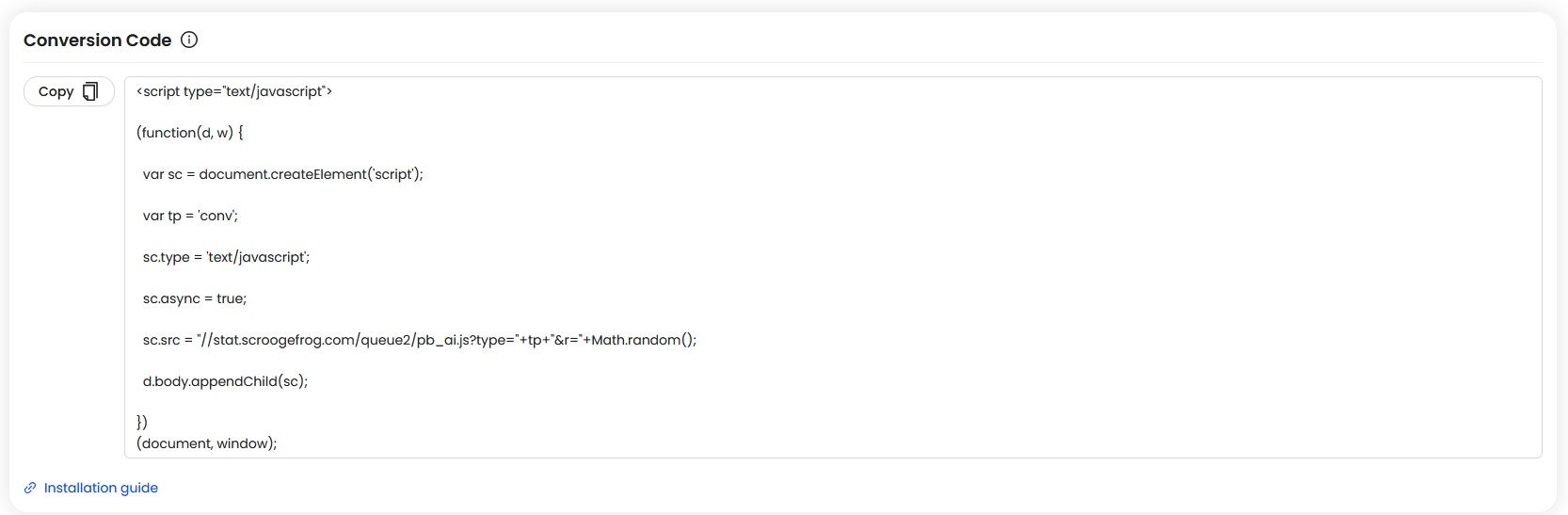
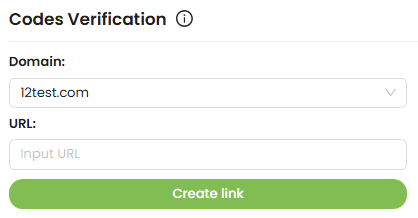
Go to the Codes section and select Conversions Code. Then copy the JavaScript snippet provided there.
Example Code:
Once the code is placed and a conversion occurs, the system will automatically record it.
About Postback setup:
An
S2S postback sends conversion data directly from your server to our platform when an event occurs (signup, purchase, deposit).
It does not rely on cookies, so tracking stays accurate even if cookies are blocked. This ensures reliable attribution and better fraud detection.
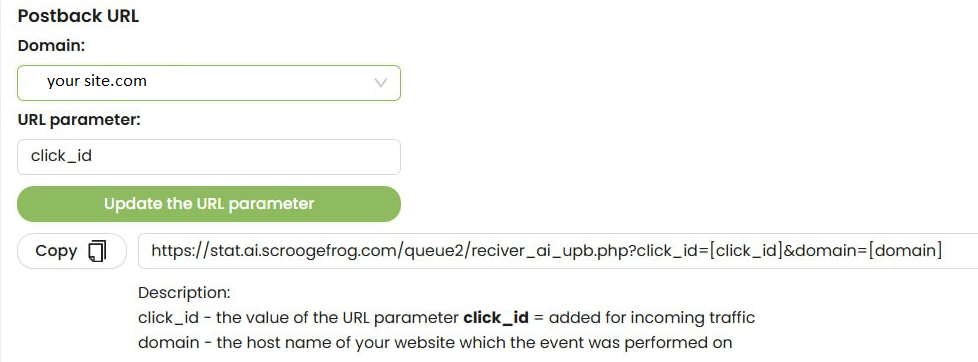
How to set up the S2S postback
To set up the postback during the code installation step, please follow these steps:
- 1. Select the required domain.
- 2. Specify the parameter that will be used to track IDs of your clicks.
- 3. Copy the generated postback URL with the selected parameters and add it to your tracking system or CRM (where postback integration is available).
- 4. In your tracking system or CRM, choose which event will be sent as the final conversion (for example: leads, approvals, purchases).
When setting up your Postback or Conversion Code, make sure the following parameters are included:
- click_id —the value of the URL parameter added for incoming traffic.
- domain — the hostname of your website from which the conversion event is sent.
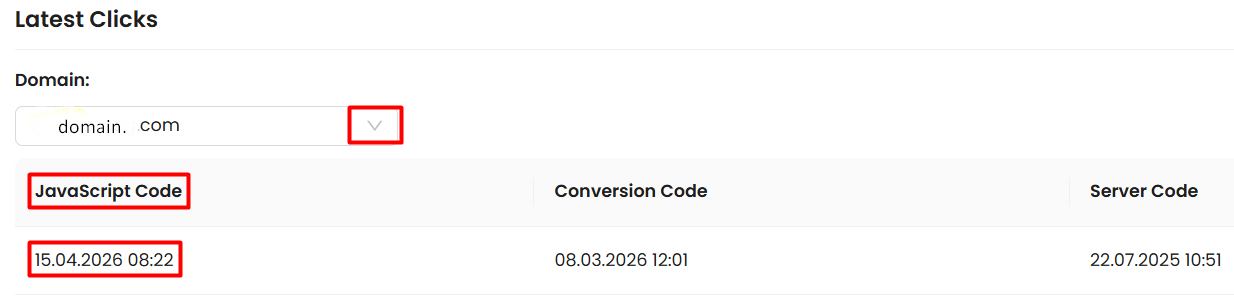
Once everything is in place, perform a test conversion to confirm that your Postback or Conversion Code is firing correctly. If set up properly, your conversions will appear automatically in the dashboard.